A shelf card, label or small sign needs a specific paper size. Keep that size in the template with @page, then let Python render the document. This example produces two complete PDFs from one HTML design: 100 × 150 mm and 4 × 6 inches.
Fullbleed is an MIT-licensed engine for static HTML/CSS documents. Its Python wheel includes the rendering engine and fonts; this project does not need a browser or a separate system PDF stack.
Download the complete project · Open the metric PDF · Open the inch PDF
Run the example
Extract the ZIP and open a terminal in fullbleed-print-sizes. In a Python virtual environment, run:
python -m pip install -r requirements.txt
python render.py
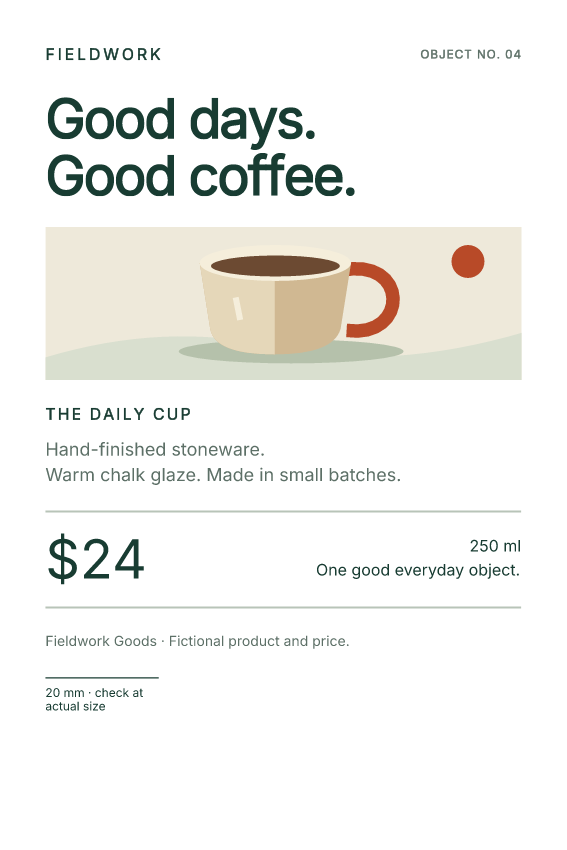
Open output/metric-card.pdf and output/inch-card.pdf. The output folders also contain PNG previews of the finalized PDFs. Edit shelf-card.html to change the type, copy, vector illustration or print rules.
The downloadable example pins Fullbleed 2.5.46, matching the version in its retained output checks.
Put the paper size in CSS
@page { size: 100mm 150mm; margin: 8mm; }Width comes first, then height. The 8 mm margins leave an 84 × 134 mm content area. They do not change the outer paper size. The Python constructor below registers the bundled Inter font and leaves page geometry to the CSS.
from importlib.resources import files
from pathlib import Path
import fullbleed

here = Path(__file__).resolve().parent
output = here / "output"
output.mkdir(exist_ok=True)
html = (here / "shelf-card.html").read_text(encoding="utf-8")
font = files("fullbleed_assets").joinpath("fonts/Inter-Variable.ttf")
engine = fullbleed.PdfEngine(font_files=[str(font)])

for name, extra_css in (
    ("metric-card", ""),
    ("inch-card", "@page { size: 4in 6in; margin: 8mm; }"),
):
    pdf = output / f"{name}.pdf"
    pdf.write_bytes(engine.render_pdf(html, extra_css))
    engine.render_finalized_pdf_image_pages_to_dir(
        str(pdf), str(output / name), 144, name
    )
    print(pdf)
The first call preserves the HTML’s embedded page rule. The second supplies a later @page rule through the CSS argument. It creates a separate 4 × 6 inch PDF, equivalent to 101.6 × 152.4 mm. Those dimensions are close to the metric card, but they are different.
Keep screen and print content separate
.screen-only, .print-only { display: none; }
@media print {
  .print-only { display: block; }
}
The project has a screen-only preview message and a print-only scale line. A separate screen stylesheet shows the message in a browser. The checked PDFs omit that message and include the scale line.
Supply fonts and assets explicitly when adapting an existing template. Fullbleed does not execute JavaScript or fetch linked stylesheet and @import URLs. Put the supported styles in style elements, the explicit CSS argument or a registered CSS asset.
Check the file and the printed result
PDF dimensions use points: 72 points per inch. The metric file measures approximately 283.465 × 425.197 points; the inch file measures 288 × 432 points. The retained checks cover one page per card, expected text, print/screen filtering, embedded Inter, glyph coverage and repeated PDF bytes for this pinned example.
Inspect the verification record
For a physical print, select matching paper and Actual size or 100% in the print dialog. Fit to page scales the document. Print a sample and measure the 20 mm scale line before a production run; the driver settings and printer margins also affect the physical result.
Read the full paper-size guide · Check CSS coverage for your template
