An invoice has repeated parts: a labeled address, an item row, a total and a payment note. Fullbleed's C# component API lets you give those parts ordinary method names, pass typed data to them and reuse their styles.
The Northstar sample turns that approach into a complete PDF: blue display typography, a structured item table and a total panel. Download it, change the fictional customer and line items, and inspect the new document.
Download the C# project · Open the actual PDF · Read the component guide
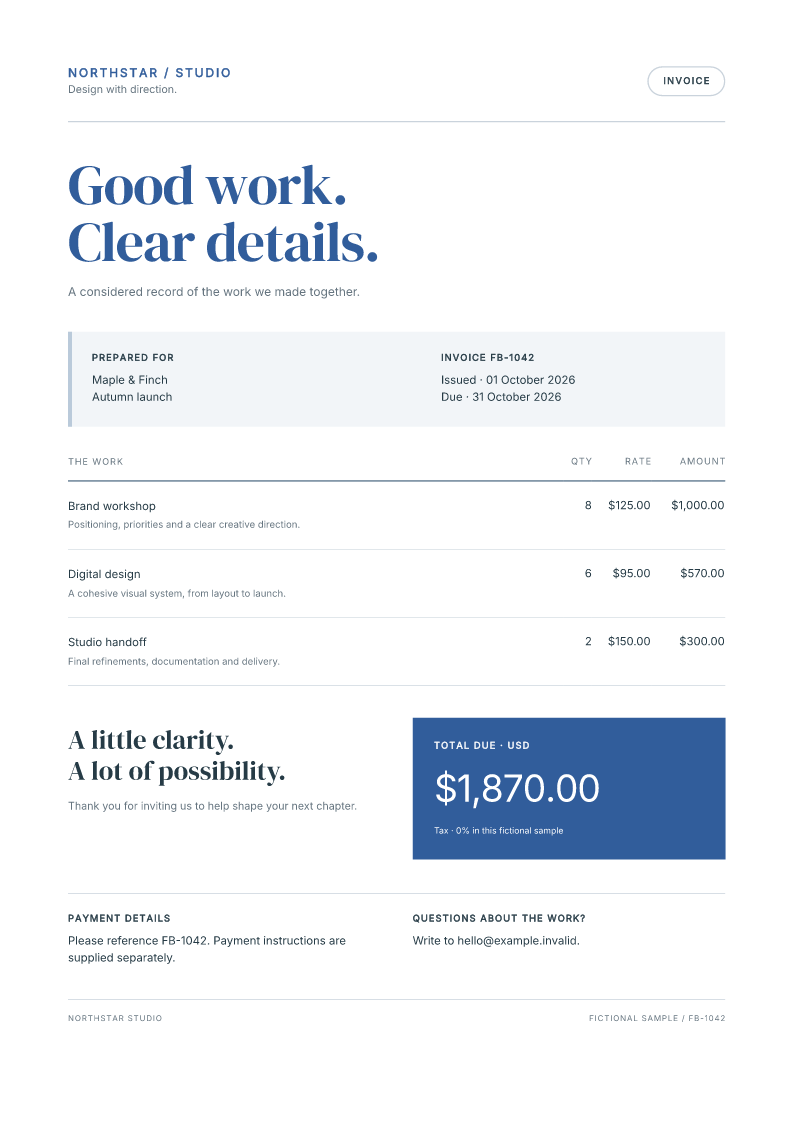
Generated from the downloadable C# project. All invoice details are fictional.
Run it, then change the data
Install the .NET 10 SDK, extract the ZIP, and open a terminal in the directory containing ComponentInvoice.csproj. Run:
dotnet restore --locked-mode
dotnet run -c Release --no-restore -- output
Open output/invoice.pdf and output/invoice_page1.png. The project pins FullBleed.DotNet 0.2.11 and engine 2.5.51. It includes its fonts and their licenses; Program.cs registers the fonts explicitly.
In InvoiceDocument.cs, edit InvoiceDocument.Example: change the customer, project or one of the three InvoiceItem records. Run the second command again. Each row calculates its amount with decimal arithmetic, and the document sums those amounts. The sample deliberately has no tax or accounting integration.
A component is a C# method
This is the reusable field component from the project:
public static Element Field(string label, params Node?[] children) => Box(
    Heading(2, label).WithClass("eyebrow"), Paragraph(children)).WithClass("field");
The label becomes a heading; the remaining children become a paragraph. The same method lays out the recipient, invoice dates and payment details. ItemRow handles an invoice item, and LINQ's Select method supplies the table rows. Ordinary conditionals choose the paid or unpaid wording.
Text values are escaped, so a customer's angle brackets remain text. Await data before building the document. These are static document components: there are no browser events or state hooks.
Class names label elements; styles live on the document
WithClass("field") adds the class name field. Its matching selector is .field, with a dot. The method name Field does not create a selector or load a stylesheet.
Find BaseStyles in the same file. The rule .field > p sets the spacing and size of the field's paragraph. Change that rule and rerun the project to see all matching fields update. Create copies the base sheet, adds the invoice's accent rules, and assigns the result to the outer document's Styles property.
Use WithStyle for an element's inline declarations. Both WithClass and WithStyle return new elements, so a shared component can be reused without changing its original value. The styling guide walks through selector precedence and a notice with a custom border.
Check the document you will ship
The current project was restored and run with .NET 10 on Windows and Linux. Checks cover the original invoice, paid and empty variants, a credit, escaped text and a 40-item invoice that flows to four pages. The 11 component and guide cases produced identical PDF bytes on those two tested environments. The download's source record identifies its files and hashes.
Component authoring is alpha. Pin the package and review your PDFs after changing a template or upgrading. The library and example are MIT licensed, including commercial use.
Start with the complete component guide. If adapting a document exposes a problem, share a small fictional reproduction in the C# issue tracker, including your package version and expected output.
Prepared for Fullbleed with AI assistance. The linked source and PDF outputs were checked in CI and with independent PDF readers.
