Turn an n8n webhook into a styled PDF invoice
An automation already knows when the data is ready. Give it a document step: send invoice JSON to a webhook and receive a styled PDF attachment.
The Fullbleed n8n starter includes an importable workflow, a local Docker renderer, editable HTML/CSS, bundled fonts, and a small client. It uses n8n's built-in nodes. You can run the example without a PDF-service account or API key.
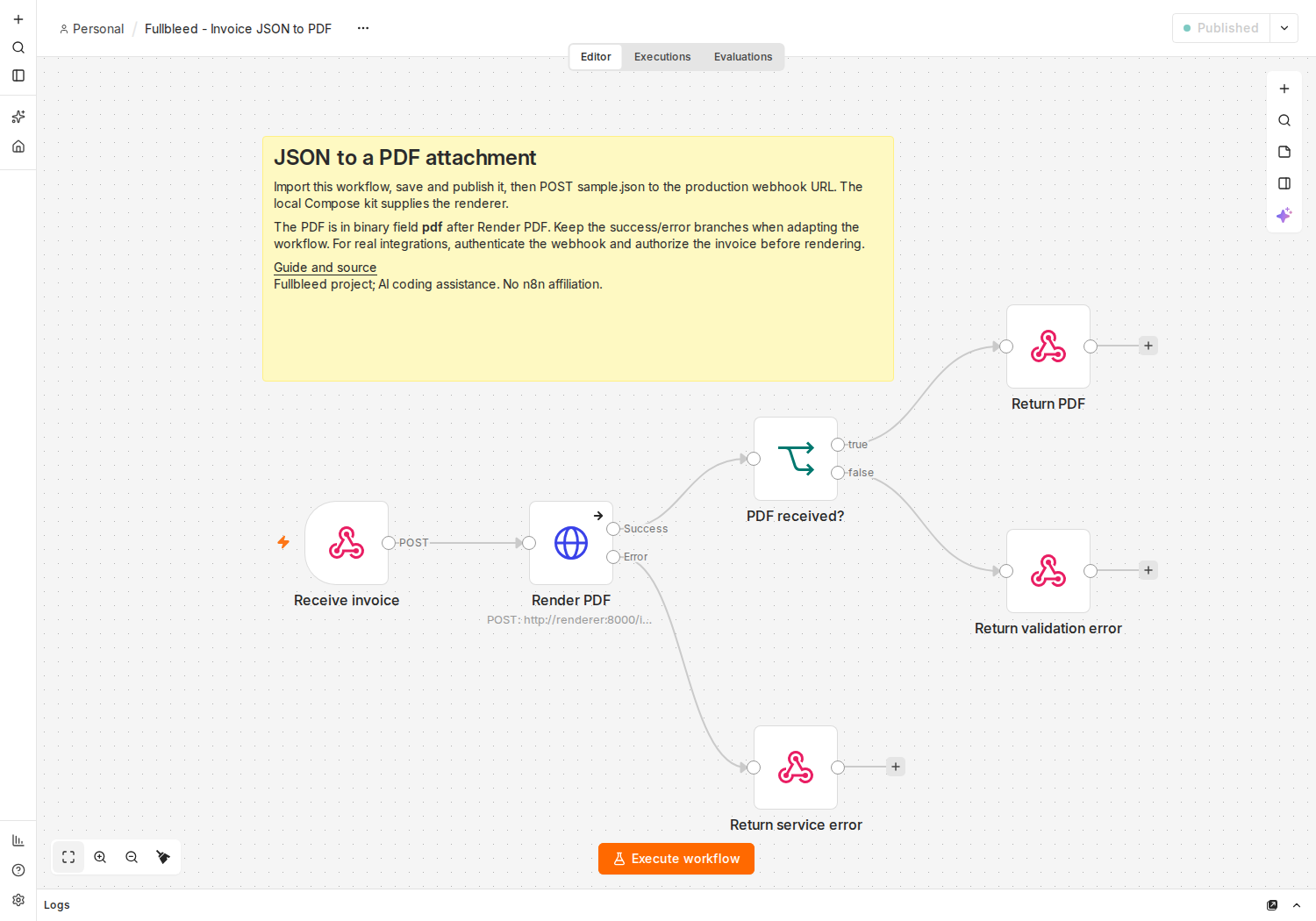
Start with one complete document. Use Docker with Linux containers and Docker Compose v2. Download and extract the kit, open a terminal in fullbleed-n8n-starter, and start its two services:
docker compose up --build -d- Open
http://localhost:5678and create the local n8n owner account. - Create a workflow, choose Import from File, and select
workflows/invoice-webhook.json. - Save and publish the workflow, then send the included fictional invoice with Python:
python post_invoice.py sample.json output/invoice.pdfOpen the saved PDF. Change a customer, quantity, or line item in sample.json, then choose a new output filename and send it again. The client saves a successful PDF response and refuses to overwrite an existing file.
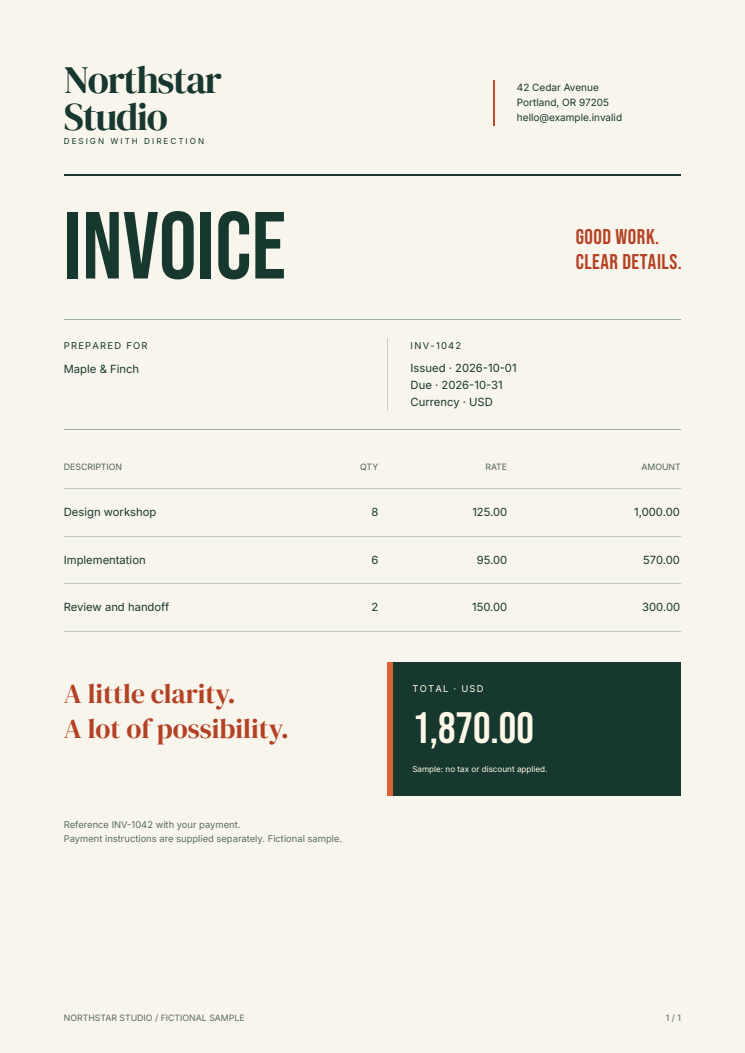
Keep the PDF as binary data. The HTTP Request node sends the incoming JSON to http://renderer:8000/invoices. Set its response format to File and its output field to pdf; those settings are already in the download. The next node checks the status and content type before the response node returns the attachment.
To send the document elsewhere, connect your chosen storage or delivery node to the successful branch and select pdf as its binary input. Configure its credentials in your n8n instance. This starter returns a document to the caller; it does not preconfigure email or a storage account. n8n's HTTP Request reference explains the file-response controls.
Put your design in the template. Edit renderer/templates/invoice.html and invoice.css, then run the same Compose command to rebuild. The included design uses explicit fonts, flowing tables, repeated table headers, and page counters. Content is escaped before it enters the template; quantities are integers and prices are decimal strings.
The example accepts up to 100 line items and checks field types, dates, and size limits. It calculates line totals and their sum. Add your own application rules for taxes, discounts, or other accounting behavior; the sample does not provide those.
Connect the trigger deliberately. The kit binds n8n to localhost, and the renderer has no published host port. The sample webhook is unauthenticated; an n8n owner login does not protect it. Before using real records or exposing a webhook, add authentication, record authorization, TLS, and a retention policy. An existing n8n Cloud instance also needs a renderer endpoint it can actually reach.
For a background workflow, persist job status and add bounded retries. Use an invoice and template-version key when you need to prevent duplicate downstream delivery: repeating this webhook renders another response. The complete guide covers the deployment boundaries and every included file.
Checked through the real workflow. The release checks imported and published the workflow in n8n 2.42.5, then passed 323 checks covering PDF output, filenames, decimal totals, escaped text, multi-page documents, concurrent invoices, validation errors, renderer shutdown, and recovery. All six PDFs matched an independent baseline. These are synthetic integration checks, not a production-capacity measurement.
Fullbleed 2.5.20 and the example source use MIT; bundled fonts include their own licenses. n8n has its own license, and hosting is your responsibility. The source README and download manifest make the version pins and contents inspectable.
