Build a React PDF editor that keeps downloads in sync
Change a customer name, then choose Download. The PDF should contain that name. A live preview editor has to keep that promise even when someone edits quickly, cancels a render, or closes the form.
The Fullbleed React starter connects an editable HTML/CSS print template to a form, a PDF preview, and a download. Its usePdfPreview hook keeps those outputs tied to the current inputs. The engine runs in a Web Worker, and this starter keeps document inputs in the browser.
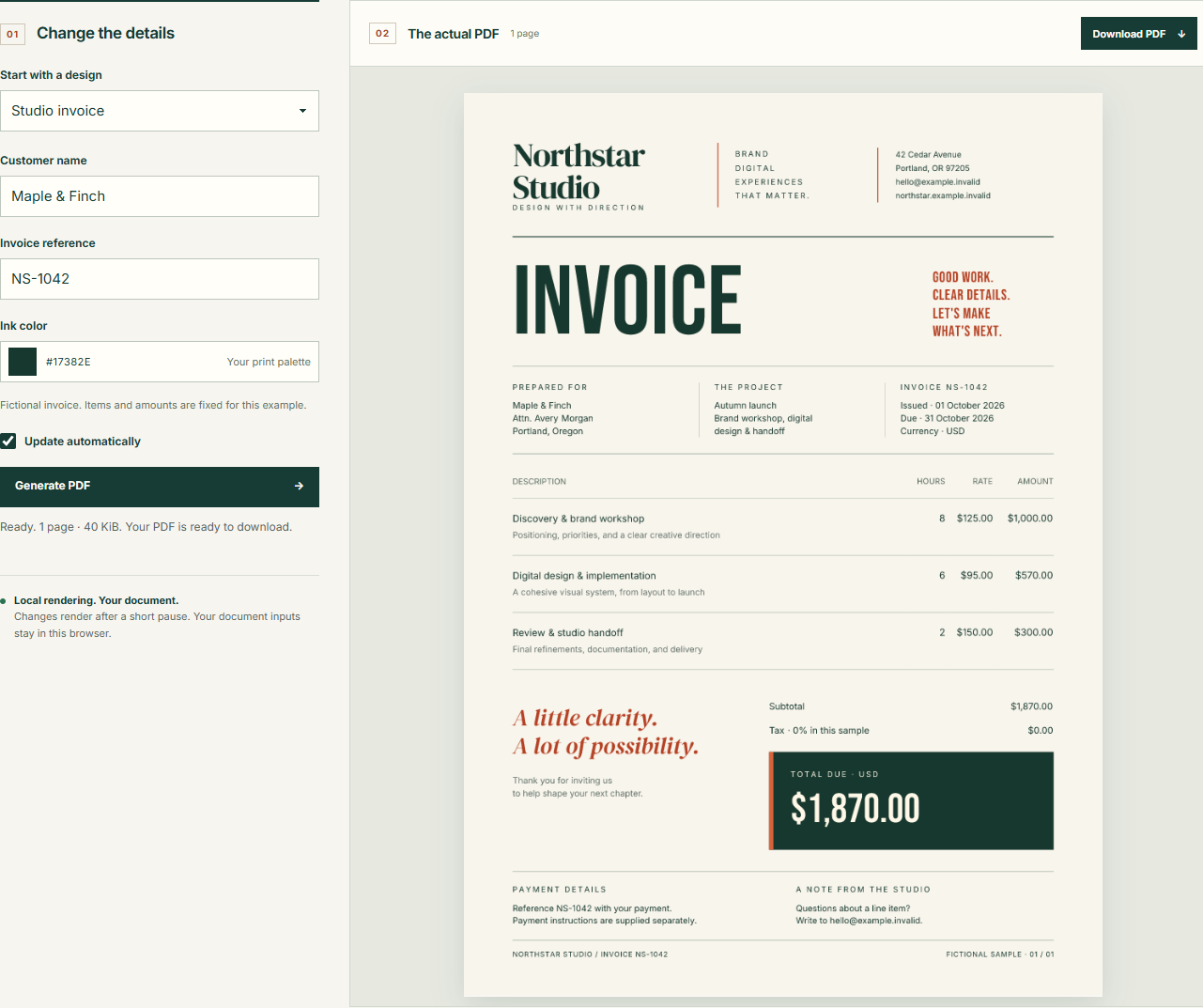
Start with a running document. The project includes a designed invoice and a three-page report, a React form, and the complete hook. Extract the ZIP, open a terminal in fullbleed-react-starter, and run these commands with Node.js 22.12 or newer:
npm ci
npm run dev
Open the localhost address printed by Vite. Change the customer name and pause; the preview updates automatically. The project pins Fullbleed npm 0.3.2, engine 2.5.11, and React 19.3.0. The source is MIT licensed, including commercial use.
Expand Edit the HTML & CSS to replace the print template. Changes in that panel last until reload. To keep a design, edit src/invoice.html and src/invoice.css in the project. The invoice fills {{customer}}, {{reference}}, and {{ink}}; customer text is escaped before insertion. Amounts and line items are fictional samples for you to replace.
Invalidate the old download as soon as inputs change. A completed PDF belongs to the inputs that produced it. The hook records both the input object and runtime asset URL with each result. During a React render, it exposes that result only while both still match:
const visible: State = state.input === input && state.assetBaseUrl === assetBaseUrl
    ? state : { input, assetBaseUrl, status: auto ? 'queued' : 'idle' };
  return { ...visible, generate, cancel };
This excerpt comes from the complete hook in the downloadable project. The component memoizes its input with useMemo, so unrelated renders do not look like document edits. The default 450 ms delay reduces work during a burst of typing. Debouncing alone cannot stop an older job from finishing after a newer request.
Give each render an identity. The hook captures a serial number when work begins. Invalidating a request increments that number and aborts its controller. After the worker returns, this check prevents an obsolete response from creating download or preview URLs:
const renderer = createRenderer({ assetBaseUrl });
      const rendered = await renderer.renderPdf({ ...input, signal: controller.signal });
      // An aborted or superseded request must never replace a newer document.
      if (!current.mounted || serial !== current.serial) return;
Cancellation and the serial check have different jobs: one stops obsolete work, while the other decides whether a result still belongs on screen. The hook applies the same identity check to errors, so a superseded failure cannot replace the state of the current document.
Make cleanup part of the editor. Every ready document creates a PDF Blob URL and one PNG Blob URL per preview page. The hook retains those URLs and releases them when inputs change, Cancel is pressed, or the editor unmounts. The shared cleanup also clears the pending timer and aborts active work:
current.serial += 1;
    clearTimeout(current.timer);
    current.timer = undefined;
    current.controller?.abort();
    current.controller = null;
    current.urls.forEach(url => URL.revokeObjectURL(url));
    current.urls = [];
The starter enables React Strict Mode. Its extra development setup and cleanup cycle is useful here: opening and closing the editor should leave it ready to start again. React's Effect cleanup guidance explains that lifecycle.
Try the behavior in the live editor before adapting the hook:
- Change the customer name twice. The previous download disappears until the latest PDF is ready.
- Edit a field and choose Cancel before the preview starts. Edit again or choose Generate PDF to continue.
- Turn off Update automatically. Edits now wait for Generate PDF.
- Choose Close editor, then reopen it. The new editor starts with the default document; keep lasting template changes in the source files.
For your own app, copy src/usePdfPreview.ts and follow the integration example. Deploy the worker, engine, fonts, and notices together. The first preview downloads the runtime assets; a deployed build can run on a static HTTPS host without a Node server.
The print document uses Fullbleed's supported static HTML/CSS. The browser entry produces ordinary PDFs and PNG previews. If your workflow requires a tagged or archival profile, check the document-profile guidance before choosing an integration. A Vue starter offers the same editing workflow with a composable.
Checked against real output. A fresh Chrome run downloaded the default invoice, the latest edited customer, a manually generated invoice, and a custom A5 template. Independent PDF checks confirmed their text and page sizes. The starter workflow also covers Chrome, Firefox, Playwright WebKit, and a React development build with Strict Mode. Those fixtures do not establish compatibility with every browser or device.
